| TSAC-10013 |
Concrete components |
Bridge creator: In the Manage alignments dialog, a synchronization issue was fixed between the table and the Tools functions on the Manage tab when selecting road lines. |
| TSAC-10065 |
Concrete components |
Embedded anchors (008): Sometimes, the anchors were created on the wrong face of the main part due to the complicated shape of the part. This issue has been fixed. |
| TSAC-10086 |
Concrete components |
Reinforced concrete stair (95): The bending radius of rebars A, I, and J is now properly set from the rebar database. |
| TSAC-10093 |
Concrete components |
The Continuous beam reinforcement macro now works correctly again. |
| TSAC-9726 |
Concrete components |
Hole reinforcement for slabs and walls (84): Previously, when you selected to create Reinforcement only for an existing hole, the reinforcement around the hole was always created as if the hole was rectangular. For round holes, the cover thickness of the diagonal bars was not correct. This issue has been fixed.
|
| TSAC-9773 |
Concrete components |
Concrete console (110): When the neoprene was aligned to the secondary part and the secondary part was rotated so that its width was greater than its height, the neoprene was created on the wrong level and the front column cut had the wrong height. This issue has been fixed. |
| TSAC-9774 |
Concrete components |
Strip footing reinforcement (75): The main bar bending radius is now properly set using the value defined in the rebar database. |
| TSAC-9865 |
Concrete components |
Reinforced concrete stair (95): Previously, when steps had small chamfers and ridges were created, the ridges were not properly formed. This issue has been fixed. |
| TSAC-9872 |
Concrete components |
Corbel reinforcement (81): Previously, rebars were sometimes created with incorrect properties or grade. This issue has been fixed. |
| TSAC-9996 |
Concrete components |
Bridge creator: An issue was fixed where voids and chamfers in key sections were not shown in the model when Cross section was set to Yes in the Cross section creation settings. |
| TSAC-10027 |
Steel components |
Railings (S77): Previously, bottom rail connections had an incorrect order of main and secondary parts. This issue has been fixed. |
| TSAC-10057 |
Steel components |
Haunch (40): Previously, when switching the haunch type between a profile haunch and welded plates haunch, the position of compression stiffeners was changing. This issue has been fixed. |
| TSAC-10091 |
Steel components |
Partial stiffened end plate (65): Previously, shear tab chamfers were not created when you had selected to create chamfers, but did not specify any values. This issue has been fixed. |
| TTSD-53526 |
Import, export, interoperability |
Export drawings as DWG/DXF/DGN: The objects are now exported in the correct drawing order and all lines are shown correctly. Previously, when the drawing contained a hardware_SOLID hatch, several object lines in the background were not exported. |
| TTSD-75342 |
Import, export, interoperability |
IFC2x3 export: The IfcBuilding and IfcBuildingStorey LongName attribute was not always correctly overridden. This issue has been fixed. |
| TTSD-75596 |
Import, export, interoperability |
IFC export: The IFC entity override now supports cuts. Previously, the IFC entity override in the property pane did not work for cuts. |
| TPLED-423 |
Templates and reports |
Excel reports: A new Border option, Hairline, is now available for cells. |
| TTSD-76093 |
Templates and reports |
Template Editor: Sometimes modifying a template object, for example a line, in the property dialog could result in an empty template. This issue has been fixed. |
| TSAC-8001 |
Drawings |
View-based dimensioning: In dimensioning rules based on filters, when part is the measured object type, the parts with shapes that have properties of regular polygons are now recognized as arcs. In dimensioning, only the start and end point of the arcs are used. |
| TSAC-9290 |
Drawings |
Previously, when you defined a rotation for a symbol in a drawing, the drawing grid labels were also rotated when you clicked Modify in the Advanced grid label properties dialog. This issue has been fixed. |
| TSAC-9723 |
Drawings |
View-based dimensioning, Filter method: The existing option Current part in the Measure from setting has been enhanced to enable dimensioning of bolts, for example, so that the dimension line starts and ends at the secondary part where the bolts are. Note that this new functionality has a limitation: The Current part option does not use the options Bounding box, Nearest edge, and Midpoint, but it uses the option selected in the Dimension to setting.
|
| TTSD-37814 |
Drawings |
Previously, when both a pour break and a view boundary went through an opening, the hatching area was not shown correctly when the view boundary was moved so that it cut the hatched pour in the opening area. This issue has been fixed. |
| TTSD-60380 |
Drawings |
Hatches in drawings: Now only 0 length lines are interpreted as dots. Earlier, also some of the very short lines were interpreted as dots. This is an addition to TTSD-60380 that was fixed in Tekla Structures 2025. |
| TTSD-61825 |
Drawings |
Customized bars are now displayed correctly in rebar groups and marks in non-linear cases such as fanned tapered groups. |
| TTSD-72801 |
Drawings |
Previously, in certain cases, some circular or arc lines of circular radial grids were missing from drawings. This issue has been fixed. |
| TTSD-72818 |
Drawings |
Previously, when the advanced option XS_DISPLAY_ZERO_INCHES was set to TRUE, dimensions smaller than 1 inch were not affected. Now, setting XS_DISPLAY_ZERO_INCHES to TRUE correctly displays the leading zero for sub-inch dimensions in model and drawing views (for example, 0" 3/4). |
| TTSD-73659 |
Drawings |
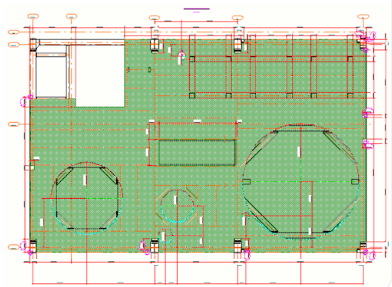
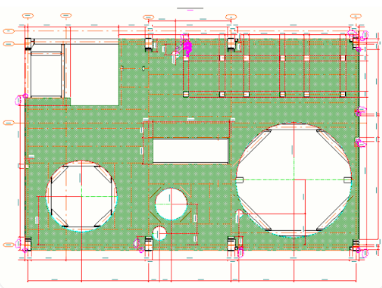
Previously, circular or in other ways curved cuts or outer edges in pour objects were not displayed correctly in reflected views in drawings. This issue has been fixed. |
| TTSD-74676 |
Drawings |
Symbols that contain long texts now work more reliably in drawings. |
| TTSD-75171 |
Drawings |
Earlier, circular lines of circular radial grids were not shown in drawings. This issue has been fixed. |
| TTSD-75840 |
Drawings |
Previously, Tekla Structures sometimes stopped working when you tried to drag a handle of a table in Drawing layout editor. This issue has been fixed. |
| TTSD-75878 |
Drawings |
Dragging tables in Drawing layout editor now works correctly. Previously, tables did not snap to the correct position when trying to drag them to the new position.
|
| TTSD-75941 |
Drawings |
Aligning drawing marks to a point: Previously, when aligning drawing marks to a point using the Align to a point command, if you picked the point inside another view, the drawing stopped showing the selected objects with selection highlight. This issue has been fixed. |
| TTSD-75949 |
Drawings |
Previously, some hatches in drawing templates were not printed correctly. This issue has been fixed. |
| TTSD-76030 |
Drawings |
Fabrication drawings (local): Previously, in the Creation review dialog, the top-matching templates and the top-matching templates with multiple sheets grouped together were not always sorted. Now, both the top-matching templates and the top-matching templates with multiple sheets grouped together are always sorted in ascending order. |
| TTSD-76037 |
Drawings |
In Drawing layout editor, one of the tables was not always visible initially. This issue has been fixed.
|
| TTSD-76220 |
Drawings |
Previously, reinforcement templates in drawings only reported the first bar in a rebar set. This issue has been fixed. |
| TTSD-76195 |
System and options |
The -a option to rename .tsep files has been re-enabled in TeklaExtensionPackage.BatchBuilder.exe. |
| TTSD-75247 |
Reinforcement |
Rebar shape recognition: The maximum limit on Extra point shortening has been removed (for example, XS_REBAR_RECOGNITION_EXTRA_POINT_SHORTENING set to 2.56 mm). |
| TTSD-75248 |
Reinforcement |
Previously, Rebar shape manager and Inquire did not report the same shape code for a certain reinforcing bar. This issue has been fixed. |
| TTSD-70916 |
Modeling |
Fixed an issue where entering invalid values in the grid property pane caused Tekla Structures to stop working unexpectedly. |
| TTSD-72102 |
Modeling |
Previously, it was not possible to change the material thickness of FP_Y or GYBA folded plates. This issue has now been fixed in environment installers. |
| TTSD-75102 |
Modeling |
Previously, CUSTOM. properties were not included when exporting to TrimBIM (.trb) format. This has been fixed.
|
| TTSD-75282 |
Modeling |
When using the Tab key to move between fields in the property pane, the text in the fields is now correctly selected. |
| TTSD-76163 |
Modeling |
Model objects are now positioned correctly when they are copied to the clipboard and pasted to another model with different base point settings. |
| TTSD-76239 |
Modeling |
Trimble Visualizer has been updated to a newer version. |
| TTSD-76292 |
Modeling |
Previously, an application error sometimes occurred when opening a model if a folder in the Model views side pane contained more than 256 views. This has been fixed, and you cannot add more than 256 views in a folder anymore. If a folder contains more than 256 views, the excess views are automatically moved to a subfolder and a status bar message is shown. |
| TTSD-73606 |
Core |
Support tool: Improvements have been made to the Contact support dialog, which now features a progress bar that shows the upload status for your files. Additionally, file category checkboxes now include a partially selected state to indicate when only some files in a category are selected for packaging. |
| TTSD-76126 |
Numbering |
Earlier, when changing the part numbering prefix, the existing single-part drawing was not automatically cloned even if Automatic cloning was selected in the numbering settings. This issue has been fixed. |
| TTSD-70546 |
Import, export, interoperability (steel) |
STEP/IGES export: Previously, if you did not enter an export file name, the export did not run. Now, you receive a visual notification when the export file name is missing. |
| TTSD-75019 |
Import, export, interoperability (steel) |
STEP/IGES export: Bolt holes now extend completely through the material. |
| TTSD-75277 |
Import, export, interoperability (steel) |
Tekla PowerFab Connector: Previously, profiles with swapped dimensions in Tekla Structures could produce the same numbering result, causing those objects to be incorrectly exported under the same mark. Because Tekla PowerFab does not process this correctly, the export functionality has been updated. Now, swapped profiles are automatically detected and only one is exported. |
| TTSD-75394 |
Import, export, interoperability (steel) |
STEP/IGES export: Slotted bolt holes with an offset are now exported properly with the correct offset. |
| TTSD-75492 |
Import, export, interoperability (steel) |
DSTV/NC: Previously, when you exported a polybeam plate with cuts where the width was greater than the length, and the advanced option XS_USE_NEW_PLATE_DESIGNATION was set to a value that required switching the width and length, the bending lines were created in an incorrect position. This issue has been fixed. |
| TSAC-9860 |
Import, export, interoperability (concrete) |
Export ELiPLAN file (68): Previously, some cuts and recesses were exported with a shift from their modeled positions. This issue has been fixed. |
| TSAC-9949 |
Import, export, interoperability (concrete) |
Export ELiPLAN file (68): The accessory code for plotter objects is now exported only once per object in the record with the longest line segment. Previously, with complex cuts or openings translated into line segments, each line segment had its own accessory information. |