
XS_REBAR_END_SPECIFIC_UDA_METHOD
Category in Advanced options dialog: Concrete detailing
Use this advanced option to control which user-defined attributes (UDAs) rebar set end detail modifiers and Rebar coupler and anchor tools add to reinforcing bars for End preparation properties. The options are start leg and end leg UDAs, or short leg and long leg UDAs.
If
you use the default value START_AND_END for this advanced option, Tekla Structures creates start leg and end leg UDAs. These UDAs have a
_START or _END suffix in drawing and report templates.
If
you set this advanced option to SHORT_AND_LONG, Tekla Structures creates short leg and long
leg UDAs. These UDAs have an _S or
_L suffix in drawing and report templates.
When you select a value for this advanced option, consider the following:
-
Start leg and end leg UDAs rely on the physical locations in the model. Using them is a good idea if you want to make sure that changes in the bars in the model do not affect UDA information.
-
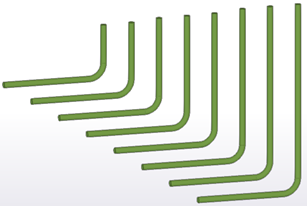
For bars in tapered groups, the short leg and the long leg might change places in the middle of the group.
-
The first and last legs might have the same length. With symmetric bending shapes it does not matter, but with unsymmetrical bending shapes it does.
Note:
-
When you open a model created with a previous version of Tekla Structures, remember to check and, if needed, change the value of this advanced option.
-
We do not recommend that you change the value of this advanced option during a project. If you do so, you must save and close the model and open it again to activate the new value.
-
This advanced option overrides the suffixes defined in the RebarCoupler.Udas.dat file. Regardless of which suffixes are defined in the file, they will be replaced based on the value of this advanced option.
This advanced option is model specific and the setting is saved in the options database.