
XS_REBARSET_COLOR_BARGROUPS
Category in Advanced options dialog: Concrete detailing
Set this advanced option to TRUE to
show bar groups within a rebar
set using different colors in model views. For example:
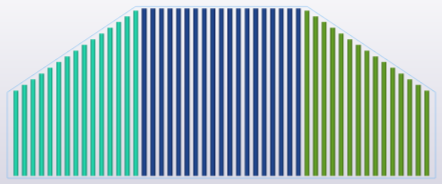
When you set this advanced option to
TRUE, the reinforcing bars in rebar sets will not be colored by
class.
The default value is
FALSE.
This advanced option is model specific and the setting is saved in the options database.
After changing the setting of this advanced option in the Advanced options dialog, redraw the model views.
Tip:
To quickly switch between the values TRUE and
FALSE, go to the Rebar tab on the ribbon and click , or use the keyboard shortcut Alt+7.