Production Control: TFS/Heat Document reports
To create TFS/Heat Document reports, do the following:
- Click the Production Control ribbon tab, select .
- Click .
- Select Reports - Selected or Reports - All.
See Create TFS reports.
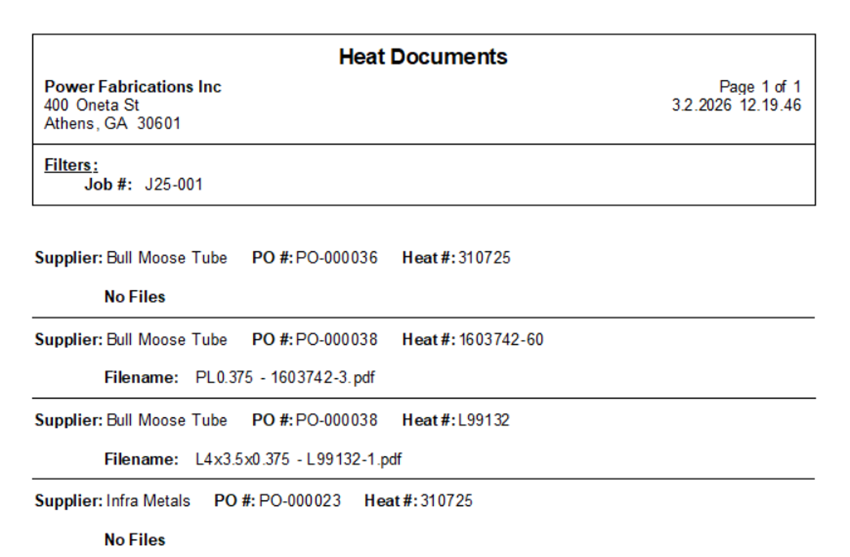
Heat Documents
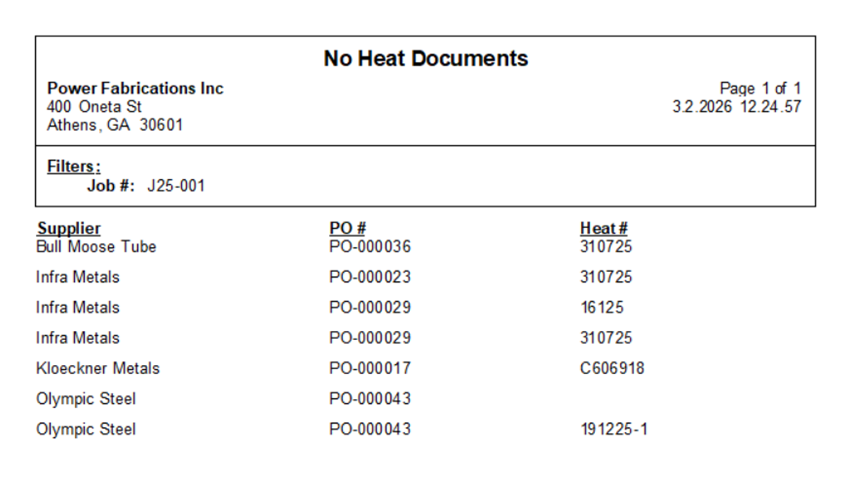
No Heat Documents
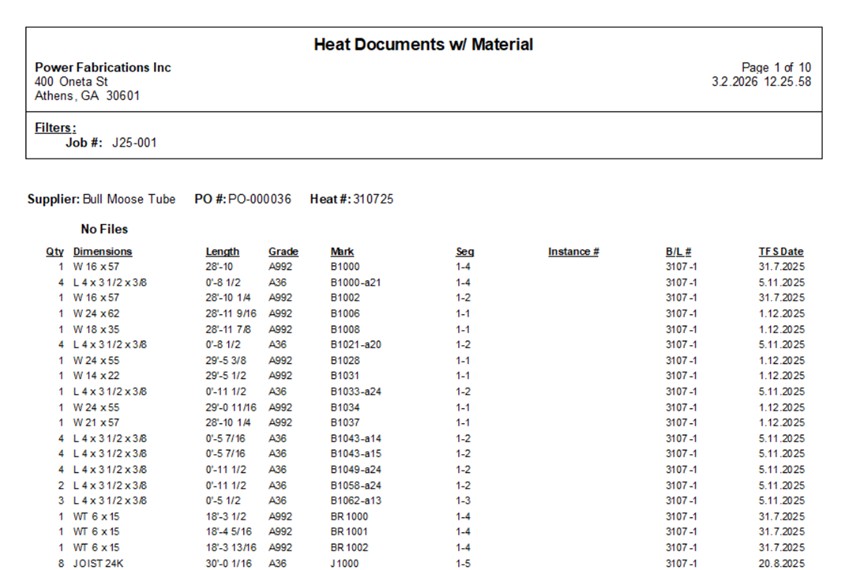
Heat Documents w/ Material