
Create a stand-alone bent plate
You can create stand-alone bent plates which do not require any input parts to be selected. Use stand-alone bent plates to model cylindrical and conical parts, such as hoods, hoppers, cones, and so on.
Limitations
-
Tekla Structures does not support full 360 degree stand-alone bent plates. However, you can create 359 degree plates instead.
-
Use the local coordinate system in drawing creation.
In addition to the stand-alone bent plates, you can also create cylindrical and conical bent plates either by selecting two parts or two part faces. The parts that you use for creating a bent plate must be contour plates, or beams whose profile is a plate.
Create a stand-alone bent plate
-
Ensure that
 Direct modification is switched on.
-
On the Steel tab, click
 .
.
-
Define the first radius of the bend:
-
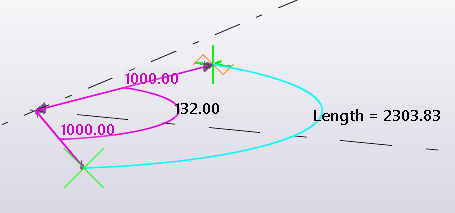
Pick the center point.
-
Pick the start point for the arc.
-
Pick the end point for the arc.
The picking order defines the up direction. For example, if you create an arc on the xy plane in the counterclockwise direction, the up direction points to the positive z axis, according to the right-hand rule.
-
-
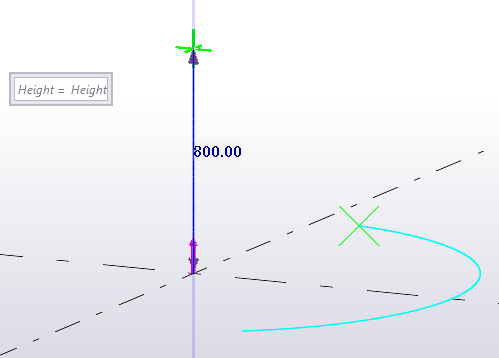
Pick a point to define the height of the bend.
Alternatively, you can enter the height in the bent plate contextual toolbar.
-
Define the second radius of the bend:
-
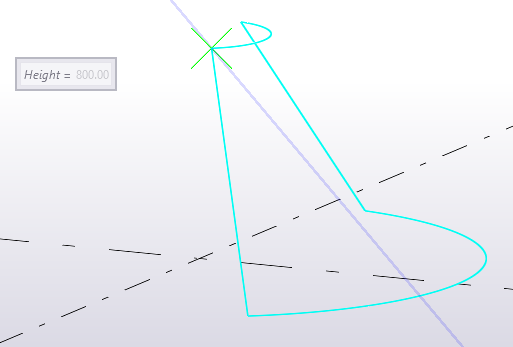
Pick a point based on the preview of the plate.
-
If you want to change the direction of the plate after you have picked a point, click the left mouse button.
Alternatively, if you want to create a cylindrical bend, click the middle mouse button. In this case the radius 2=radius 1.
-
-
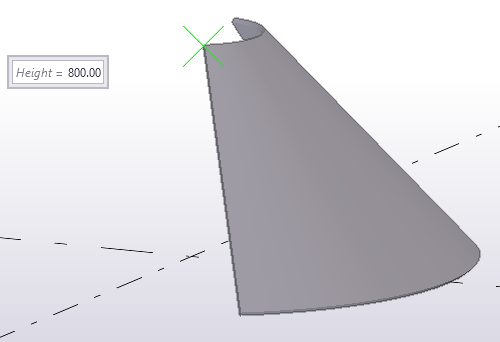
To complete the bent plate creation, click the middle mouse button.
Modify the shape of a stand-alone bent plate
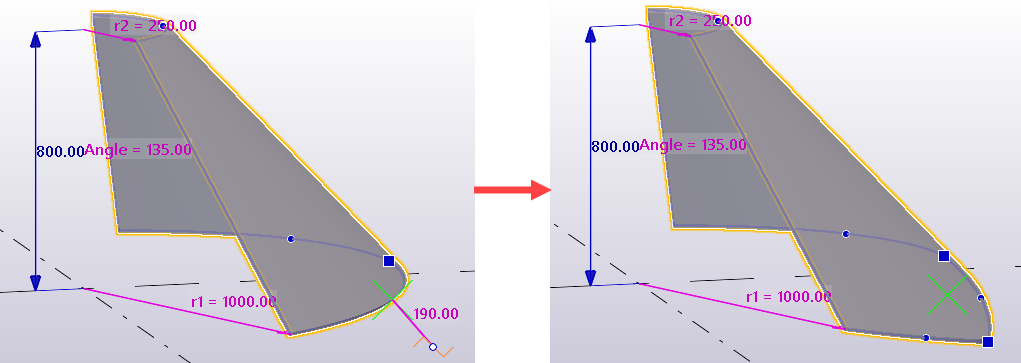
Use direct modification dimension values and handles to modify the bent plate shape.
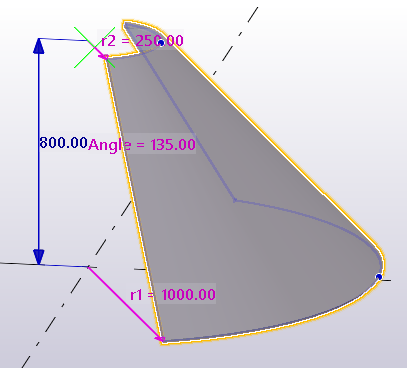
-
You can change the angle, radiuses and height of the bend by entering new dimension values.
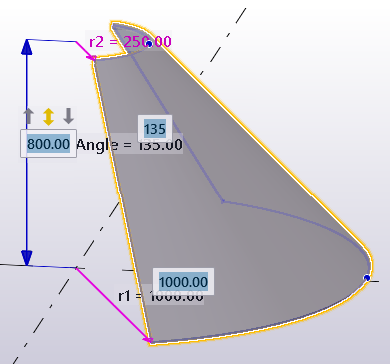
-
You can drag and stretch the edges of the bent plate.
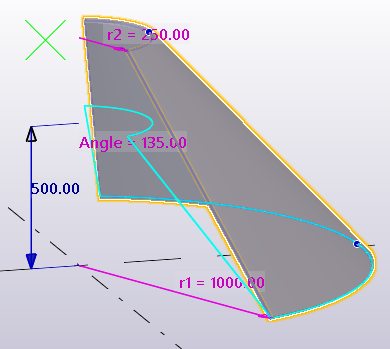
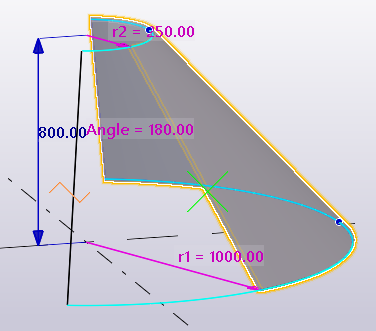
-
You can add and delete intermediate points.
-
You can create unfolded drawings of the stand-alone bent plates.
Modify bent plate properties
- If the property pane is not open, double-click the bent plate to open the Bent plate properties.
- Change the properties as needed.
- Click Modify.
Bent plate properties
Use the Bent plate properties in the property pane to view and modify the properties of a bent plate. To open the properties, double-click the bent plate. The file name extension of a bent plate property file is *.bpl.
If you have customized the property pane layout, the list of properties may be different.
|
Setting |
Description |
|---|---|
|
General |
|
|
Name |
User-definable name of the plate. Tekla Structures uses part names in reports and in Document manager, and to identify parts of the same type. |
|
Profile |
Profile of the plate. |
|
Material |
Material of the plate. |
|
Finish |
Type of finish. Finish is user definable. It describes how the part surface has been treated, for example, with anti-corrosive paint, hot galvanized, fire retardant coating, and so on. |
|
Class |
Use to group plates. For example, you can display parts of different classes in different colors. |
|
Numbering series |
|
|
Part numbering |
Part prefix and start number for the part position number. |
|
Assembly numbering |
Assembly prefix and start number for the assembly position number. |
|
More |
|
|
UDAs |
Click the User-defined attributes button to open the user-defined attributes (UDAs) of the part. UDAs provide additional information about the part. |