
Tower generation (S43)
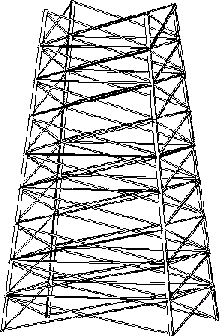
Creates a complete tower, with a square or rectangular base.
Profiles
Tower legs: L
Bracing: L, flat, U, twin
Parts created
-
Tower legs (4)
-
Bracing panels (you define the quantity)
Use for
|
Situation |
Description |
|---|---|
|
|
Before you start
Check the current work plane, as it affects the position of the tower. For more information, read Position of the tower (S43, S63)
Defining properties
Use the following tabs in the component dialog box to define the properties of the parts this component creates:
|
Tab |
Contents |
See also |
|---|---|---|
|
Picture |
Quantity of bracing panels, dimensions that define the location of cross braces on the tower legs. |
|
|
Parts |
Part properties, profiles for legs and bracing. |
|
|
Leg Parameters |
Quantity of profiles in each leg, lift length, option to tile profiles |
|
|
Tower Parameters |
Options that define the type of bracing to create, class numbers of bracing. |
|
|
Twin Profiles |
Options to use twin profiles for bracing. |
|
|
Model Points |
||
|
Joints |
Components that connect braces to tower legs. |
Picking order
Pick a point to indicate the position of the tower leg at the bottom left corner of the base of the tower.