
View the labor times of multiple items
You can view the breakdown of fabrication labor of an item or a group of items, as well as the labor time of the entire estimating job in the Labor Details dialog. You can also override the labor time calculated by Tekla PowerFab and enter the labor time manually instead.
-
On the menu, select
View
Labor Details.
The Labor Details dialog opens.
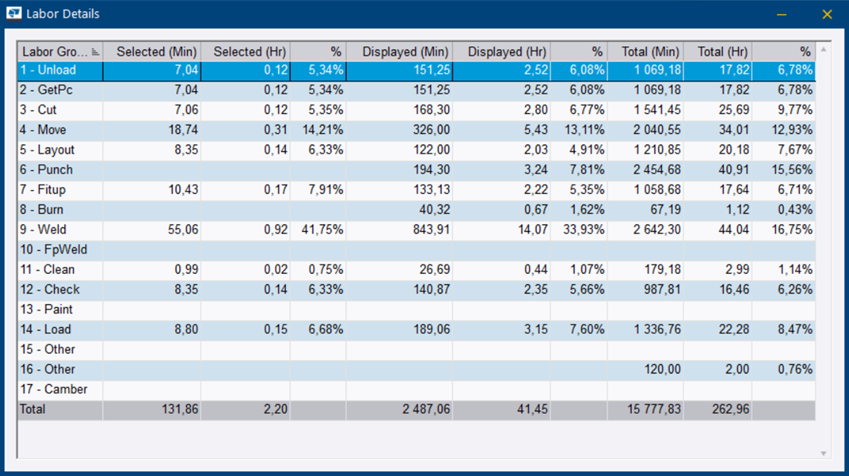
The Labor Details dialog summarizes the amount of fabrication labor against each labor group for the selected items, the displayed items, and the entire estimate. It also displays the contribution percentage of each labor group.
To print, email, or export the information in the Labor Details dialog, create a Labor Detail report. For more information on creating reports, see Estimating reports.