Add links in drawings
You can add the following types of links in drawings:
- Links to plain text or rich text files
- Links to other drawings
- Hyperlinks to internet (url) addresses
- Links to DWG/DXF files
- Links to images
Add links to other drawings
You can insert a link to another drawing in a frame in a drawing. Tekla Structures adds the link to the drawing using the properties in the drawing link properties.
-
On
the Drawing tab, click .
You can also select Drawing link from the property pane object list.
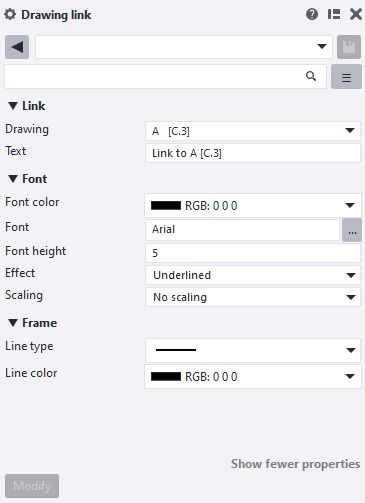
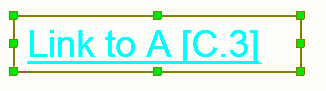
Tekla Structures adds the link to the selected drawing inside a resizable frame using the defined properties. You can open the linked drawing by double-clicking the link. To modify the drawing link properties, click the link frame.
Note that you can also open drawing link properties from Quick Launch: start typing drawing link and select Drawing Link Properties from the displayed list.
Add hyperlinks
You can add hyperlinks to internet addresses (URLs) or files within a frame in a drawing using the current hyperlink properties.
-
On the
Drawing tab, click .
You can also select Hyperlink from the property pane object list.
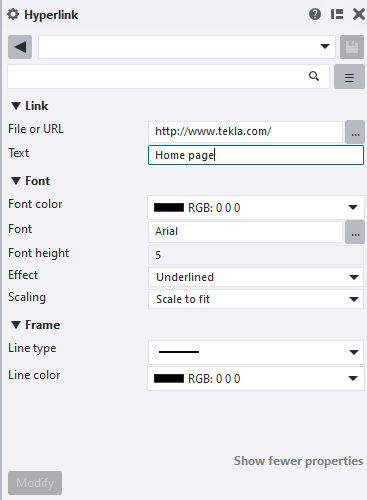

Note that you can also open hyperlink properties through Quick Launch: start typing hyperlink properties, and select Drawing hyperlink properties from the displayed list.
Add links to DWG and DXF files
You can insert a DWG or DXF file inside a frame in a drawing as a link. Tekla Structures adds the DWG or DXF file link using the DWG/DXF properties. If you modify the original file, Tekla Structures also modifies all the linked DWG/DXF file instances in drawings.
Tekla Structures supports AutoCAD version 2023 and earlier in DWG/DXF links. The added DWG/DXF files also support AutoCAD control codes, such as %%u for underscore, or %%c for a circle diameter dimensioning symbol ø.
Tekla Structures adds a link to the DWG or DXF file inside a frame in the drawing.
You can also open DWG/DXF properties through Quick Launch: start typing DWG/DXF, and select Drawing DWG/DXF properties from the displayed list.
Tip:
To insert DWG files as reference models in your model, see Insert a reference model.
Add links to image files
You can insert an image as a link inside a frame in a drawing. Tekla Structures adds the image link using the properties defined in the image properties. When you modify the original file, Tekla Structures also modifies all the linked instances in drawings.
-
On the Drawing tab, click Image
 .
You can also select Image from the property pane object list.
.
You can also select Image from the property pane object list. -
Pick the points in the drawing to place the image frame.
Tekla Structures adds a link to the image inside a re-sizable frame in the drawing.