
Manage time-tracking information
Time-tracking information consists of the actual hours worked by employees. The hours are categorized as regular, overtime, and double overtime. When you have entered data into Tekla PowerFab, Time Tracking Summary displays a summary of the time-tracking records created for a specific project.
You can enter or import the hours into the system to monitor labor against project and production schedules.
You can identify the work performed by an employee using fields such as project, task, station, sequence, lot number, category, pay category, main mark, and piece mark. You can modify the time-tracking settings to enable the fields you require. To adjust the time-tracking settings, see Define time-tracking settings.
Users with administrator rights need to grant the relevant access rights for other users on the Project Details tab in .
When time-tracking features are used, the actual regular and overtime hours worked can also be shown on the Gantt Chart view of the project schedule and on Production Schedule. Tasks where the percentage of planned hours worked is greater than the percent complete are highlighted on the Gantt Chart and the schedule reports.
Time-tracking allows you to visualize actual hours worked against your plan. The system uses this data to highlight tasks on the Gantt Chart and Production Schedule. Tasks where the percentage of planned hours worked exceeds the actual percentage of the task completed alerts you that a task is taking longer than expected
Actual time-tracking records override the linked hours (hours projected based on production status updates). This distinction prevents the duplication of labor hours and ensures that the Total Hours field reflects the actual work performed rather than a theoretical value.
See also Production Scheduling.
Add a time-tracking record
-
To access time-tracking
data, use one of the following methods:
- To enter information for any project, go to
- To enter information for a specific project, go to the Project
Management module:
- Click Project
Schedule.
The Project Schedule dialog opens.
- In the Project
Schedule ribbon tab, select Time
Tracking Input
Alternative: On the Gantt Chart tab, select an item and right-click it. In the menu that opens, select Time Tracking Input.
- Click Project
Schedule.
- You can also enter information for a specific project from the
Production Control module:
- Select a project.
- In the Production Control ribbon tab, select Project Schedule
- In the Project
Schedule ribbon tab, select Time
Tracking Input
Alternative: On the Gantt Chart tab, select an item and right-click it. In the menu that opens, select Time Tracking Input.
The New Time Tracking Record dialog opens.
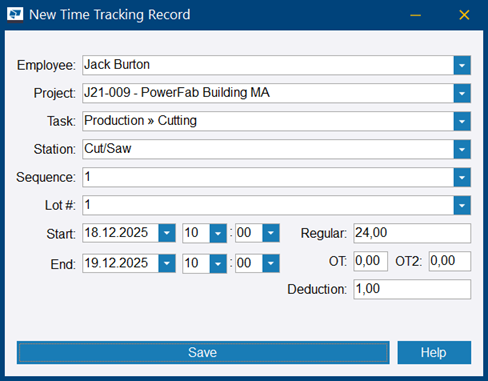
The record is added.
Note: Tekla
PowerFab
does not save the record if:
- Two time-tracking records marked to the same Tekla PowerFab user overlap.
- A Tekla PowerFab user is selected and the total sum of regular, overtime, and double overtime hours is greater than the difference in the start and end time.
Modify or delete time-tracking records
-
To access existing time-tracking details, use one of the following methods:
- Go to .
- Access from the Project
Management module as follows:
- Click Project
Schedule.
The Project Schedule dialog opens.
- In the Project
Schedule ribbon tab, select Time
Tracking Detail
Alternative: On the Gantt Chart tab, select an item and right-click it. In the menu that opens, select Time Tracking Detail.
- Click Project
Schedule.
- Access from the Production Control module as follows:
- Open a project.
- In the Production Control ribbon tab, select Project Schedule.
- In the Project
Schedule ribbon tab, select Time
Tracking Detail.
Alternative: On the Gantt Chart tab, select an item and right-click it. In the menu that opens, select Time Tracking Detail.
The Time Tracking Filters dialog opens.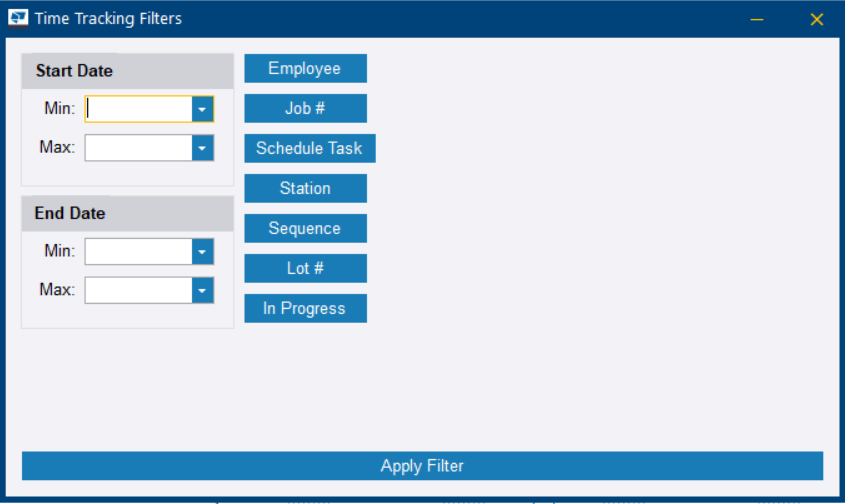
Import time-tracking records
-
In the Open dialog, select the file that you want to import.
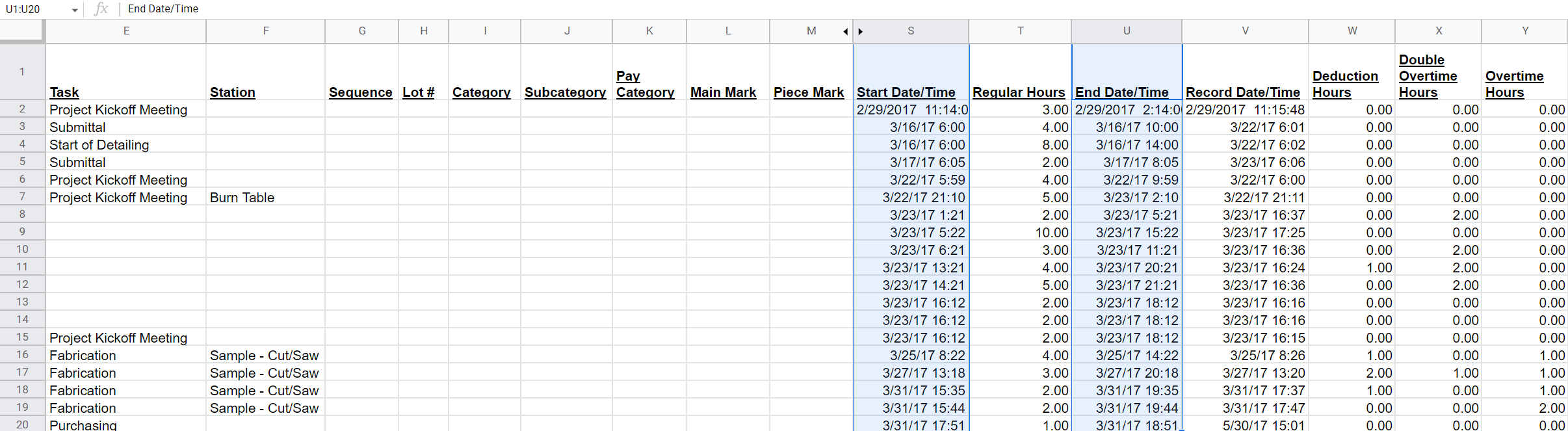
See below for an example. You can also find a sample file here.
The minimum required fields are the Start Date/Time and End Date/Time. If not included in the file, you are prompted to select a project.
-
Double-click the file
name.
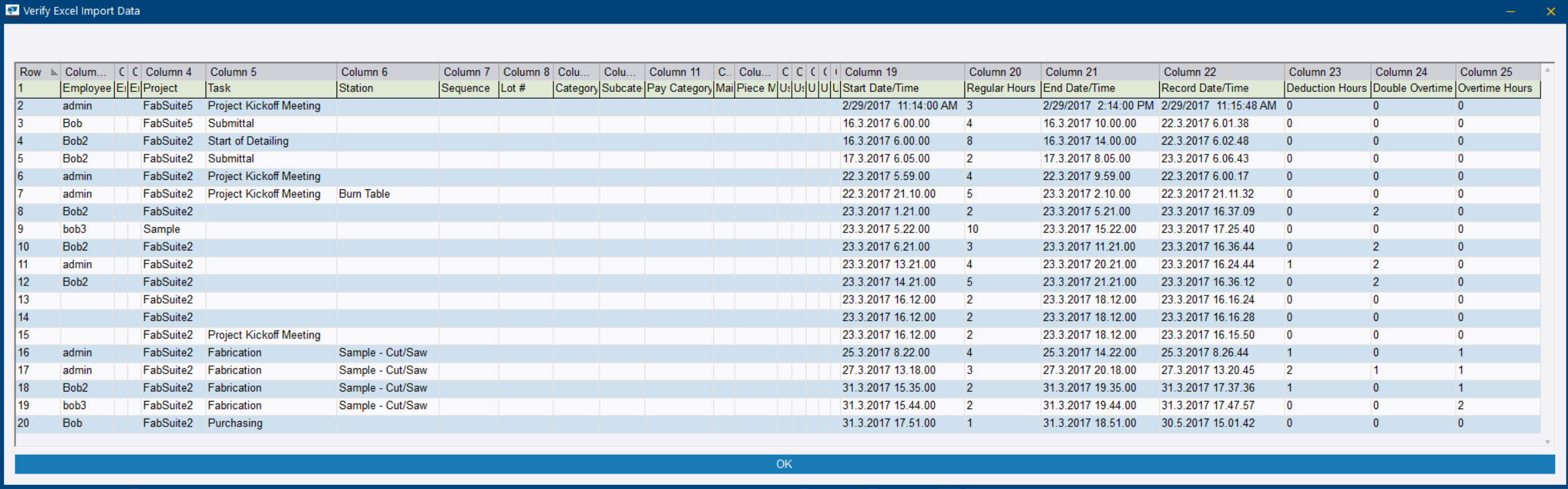
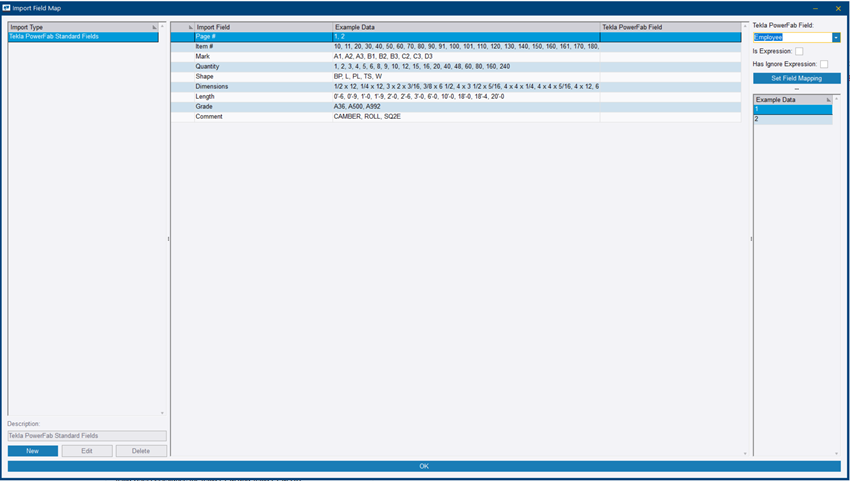
The Verify Excel Import Data dialog opens showing the column headings in the Excel file.
-
To set mapping, select an
Import
Field in the list, select the corresponding field in the Tekla
PowerFab Field list, and click Set
Field Mapping.
You can also use regular expressions to map items to fields and to ignore records based on a pattern. For more information, see Regular expressions in time-tracking imports.
View a time-tracking summary
Time Tracking Summary shows the time-tracking records created for a specific project.
It allows you to view time-tracking information displayed in columns based on the fields that you select. You can filter the displayed records by specific criteria, such as date ranges, employees, tasks, stations, sequences, or lots