
Manage transmittals
Transmittals are cover sheets to which you can attach drawings for sending them. This can be done for several reasons, but most commonly for drawing approval and issuing for fabrication or construction.
Managing transmittals in Tekla PowerFab provides visibility across the team and allows you to track as drawings are returned and the approval status updated. Tekla PowerFab records the time when a drawing has been issued and is to be returned, and marks drawings that are overdue or outstanding.
You can create new transmittals, attach drawings and files to transmittals, modify the properties of existing transmittals, or delete unnecessary transmittals.
Users with administrator rights need to grant the relevant access rights for other users on the Project Details tab in . See Manage user permissions.
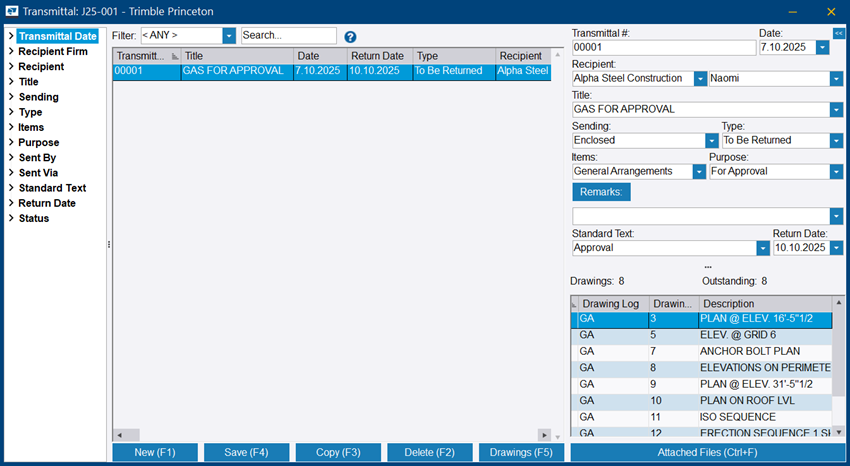
To manage transmittals, access the Transmittal dialog via the the Project dialog.
For information on using Trimble ProjectSight as the primary project management solution in Tekla PowerFab, see Trimble ProjectSight: Manage projects.