
XS_ENABLE_PHASE_OPTION_IN_NUMBERING
Category in Advanced options dialog: Numbering
When this advanced option is set to FALSE
(which is the default value), the Assembly phase checkbox is disabled in the Numbering Setup dialog. This means that changing an object's phase does not affect numbering
or trigger change alerts.
If this advanced option is set to TRUE, the
Assembly phase checkbox is enabled in the Numbering Setup dialog. This is the recommended setting for Tekla Model Sharing users.
If you select the Assembly phase checkbox, only the assembly phase of each assembly is compared in numbering. This means that otherwise identical objects with different assembly phase get the same part position number.
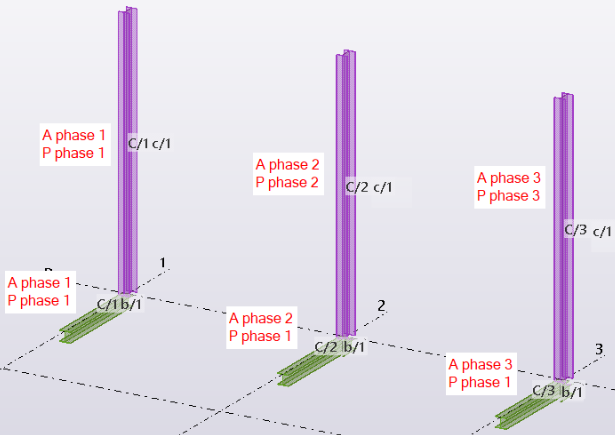
Note! Even if you do not select the
Assembly phase checkbox, but you change the phase of an object when XS_ENABLE_PHASE_OPTION_IN_NUMBERING is set to TRUE:
- A question mark (?) is added to the object's position number indicating that numbering is needed.
- After renumbering, the Document manager indicates that the drawings need updating.
- In shared models, the Changes list shows the changed parts and assemblies.
This happens even if you are using the Project Viewer configuration.
This advanced option is model specific and the setting is saved in the options database. Reopen the model to activate the new value.