Add and modify inspection test fields
You can add new fields and modify the properties of existing fields.
-
Go to
.
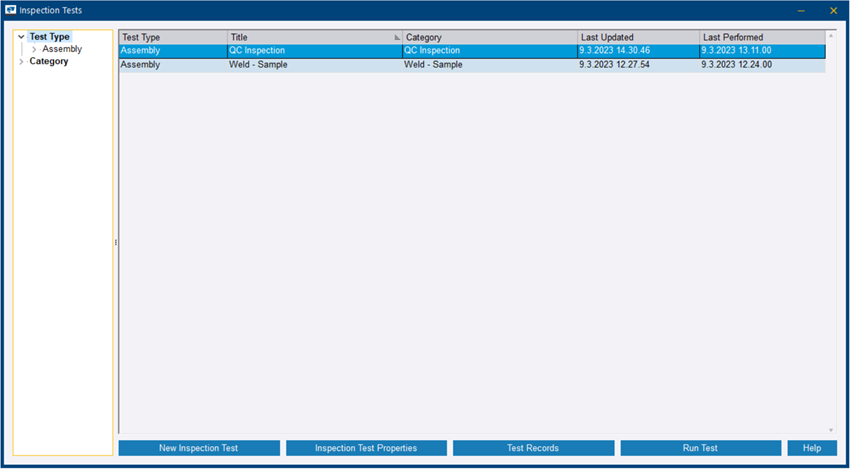
The Inspection Tests dialog opens.
-
Do either of the
following:
- If you are creating a new test, click New Inspection Test.
- If you are modifying an existing test, click Inspection Test Properties.
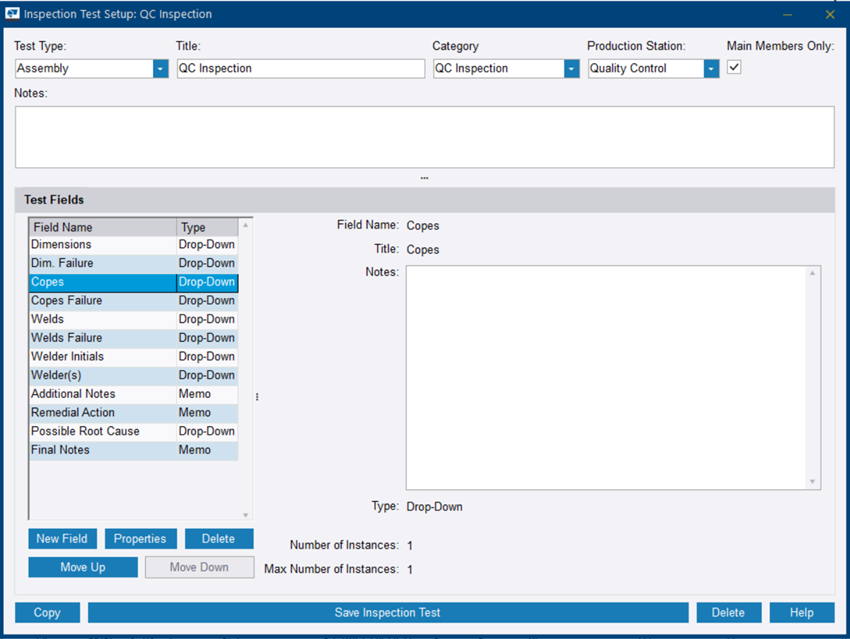
The Inspection Test Setup dialog opens.
-
Do either of the following:
- If you are creating a new test, click New Field.
- If you are modifying an existing field, click Properties.
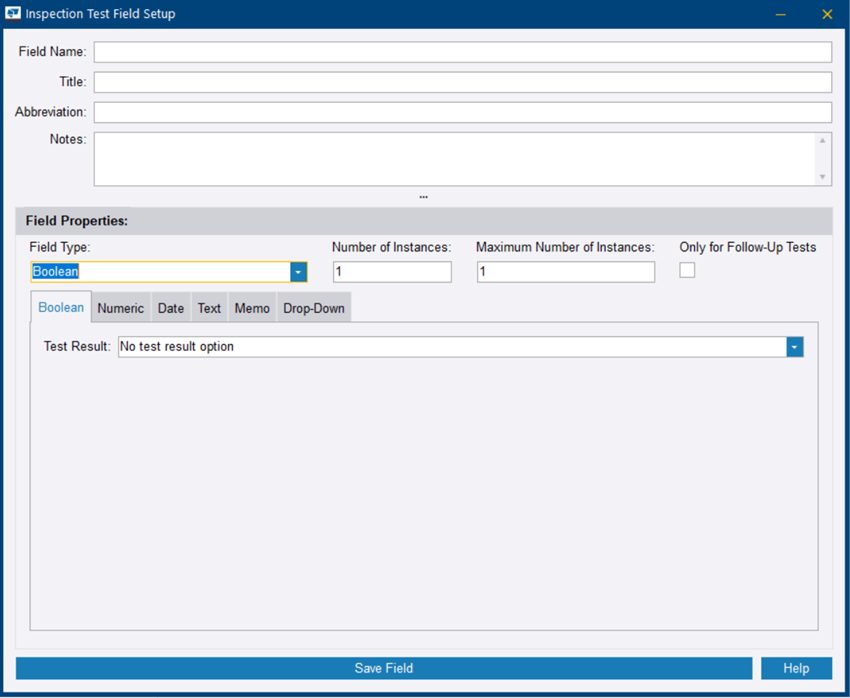
The Inspection Test Field Setup dialog opens.