
Status window
The Status window, which can be opened and closed from the Windows ribbon, is used to review the validation messages and other model status indicators.
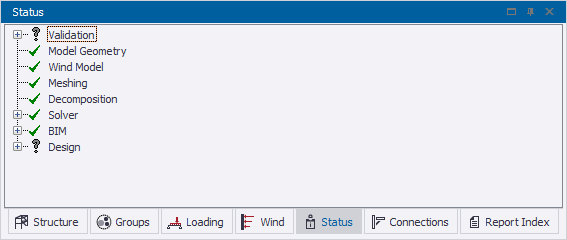
In the window you can review:
-
The validation status for the model
For more information, see: Validate the model
-
The validation status for the analysis
The analysis model validation is performed automatically when you analyze the model.
-
The decomposition status
The Decomposition branch shows if load decomposition has been successfully completed.
-
The solver status
The Solver branch lists the analyses that have been performed.
-
The BIM validation
If the model has been imported or exported, the BIM branch lists any warnings and errors that relate to the import or export process.
-
The status of drift, sway, wind drift, seismic drift checks and displacements
Each of these are reported automatically when the appropriate analysis has been performed. For more information, see: Check drift, sway, seismic drift, wind drift, and overall displacements
Note:
-
 indicates that the
analysis or process has been successfully completed.
indicates that the
analysis or process has been successfully completed. -
 indicates that the
analysis or process has resulted in an error.
indicates that the
analysis or process has resulted in an error. -
 indicates that
the analysis or process has resulted in a warning.
indicates that
the analysis or process has resulted in a warning.