
View the current location of material
You can view the current location of material that has been shipped.
-
Click Current
Locations.
The Material Location dialog opens.
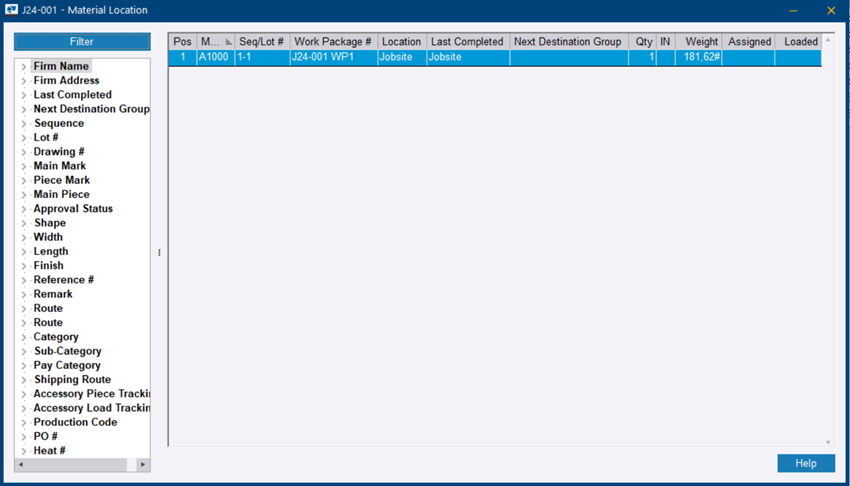
Filter: Allows the list of items to be filtered based on any details of the parts.
Pos: Position of the destination in the shipping route. Blank if the destination is no longer in the part's shipping route.
Location: The name of the firm that the material is currently located at. Shop if the material has been returned to the shop. Jobsite if the material has been shipped to the jobsite.
Last Completed: The name of the last completed destination group
Next Destination Group: The name of the next destination group in the shipping route. Blank if the last destination has been completed or if the destination is no longer in the part's shipping route.
Qty: Quantity at that location. If the quantity is negative, it means that the shipping information has been changed after the material proceeded to the next destination and there is a break in the chain. Negative quantities are highlighted in red.
Weight: Weight at the location