
Components of the Sketch Viewer window
Knowing the main components of the Sketch Viewer window can help you work with the tool more efficiently. See the main components of the Sketch Viewer window in the following paragraphs.
Note:
The following only applies to Tedds for Word.
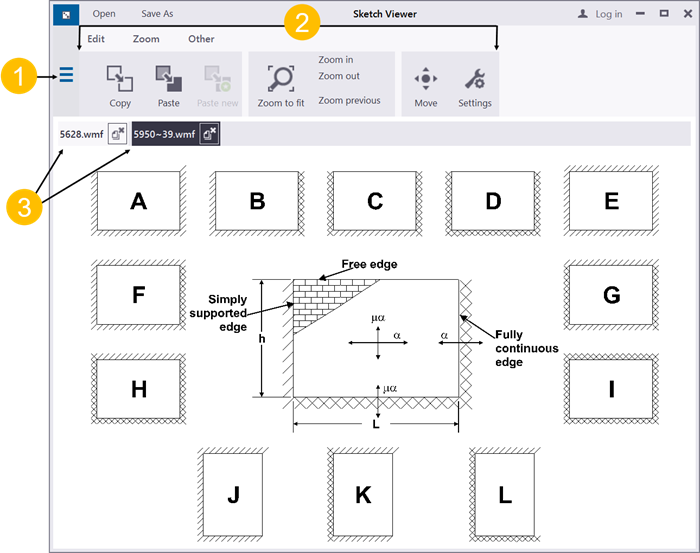
-
File menu
allows you to, among other things, create new sketches, open existing sketches, and save sketches.
-
Sketch Viewer toolbar
allows you to access the most common features of the Sketch Viewer with a single click.
For more information, see Sketch viewer toolbar.
-
Sketch windows
are windows that contain separate sketches.