Modify sketched profiles
You can modify existing sketched profiles, for example, by modifying chamfers or dimensions. You can also move corners or holes by moving the handles. The chamfers are moved automatically when you move the handles.
Modify a sketched cross section
Note:
-
You cannot change dimensions that have been calculated using formulas in the Variables dialog box.
-
Constraints may also prevent you from changing dimensions.
-
Click the
Save sketch as icon
 to save the changes.
Modify chamfers in a sketch
You can change the shape and dimensions of chamfers in a sketched profile. For example, you can create rounded profile corners.
-
Double-click a chamfer symbol
 in
the sketch editor.
in
the sketch editor.
- In the Chamfer Properties dialog box, change the shape and dimensions of the chamfer.
- Click Modify.
- Click OK to close the dialog box.
-
Click the
Save sketch as icon
to save the changes.
Set the sketch thickness
If you have sketched an open shape, such as a cold-rolled section, you must define the extrusion type and thickness of the sketch in the Sketch Browser. The thickness can be either fixed or parametric.

-
Click the
Save sketch as icon
to save the changes.
Extrusion types
The extrusion type defines how a sketched profile of a consistent thickness is extruded. When you change the thickness, the profile grows inwards, outwards, or symmetrically in both directions, depending on the extrusion type. You must define the extrusion type for sketches that consist of an open polyline.
|
Type |
Description |
Image |
|---|---|---|
|
0 |
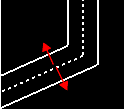
The sketch is extruded symmetrically to the outside and inside of the polyline. (Default) |
|
|
1 |
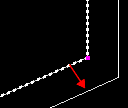
The sketch is extruded to the outside of the polyline. |
|
|
2 |
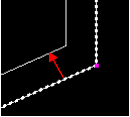
The sketch is extruded to the inside of the polyline. |
|