
Fit part ends
Use fittings to adjust the end of a beam or a column, not the sides, by creating a straight fitting line between two points you pick.
You can use the command to cut or to extend the part end, as needed. For example, cut a corner off from a beam end.
You can use fittings also to extend the part length. However, we do not recommend to extend, or shorten, the part considerably. If you need to modify the part length, move the part handles or use direct modification instead.
Note that fittings affect the gross length of a part. If you export information to NC files, fittings affect the length of the beam in the NC file. The overall length of the beam will be the fitted net length of the beam. This means that Tekla Structures always takes the fitting into account when calculating the beam length. For more information on working with the NC files, see NC files.
Before you start, ensure that you are working in a view with a suitable view plane. This makes it easier to pick the points for the fitting line.
-
In many cases you can create a view with a suitable view plane by using the command. The command creates views which have view planes along the main axes (x,y,z) of the selected part.
-
If you need the view plane on some other angle which is not along the part axis, you can first define the work plane and then use the command.
Create fittings
-
On the Edit tab, click Fit part end.
-
Select the part that you want to adjust with a fitting.
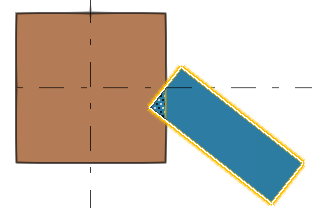
-
Pick the first point of the fitting line.
-
Pick the second point of the fitting line.
-
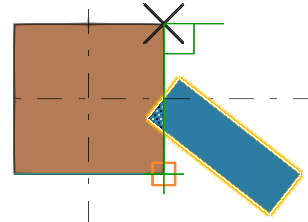
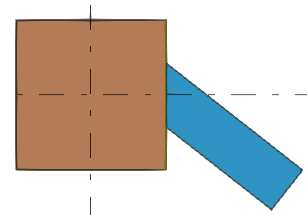
Tekla Structures creates a fitting plane, perpendicular to the view plane that passes through the two points you pick. The shortest side of the part is removed automatically.
Other things to consider
-
If you apply a second fitting to the same part end, Tekla Structures will ignore the first fitting, and use the second one. You can apply one fitting and one or more line cuts to the part end.
-
Fittings may cause problems with connections and details, if the picked points for fitting are too far from the part handles, for example if you lengthen the part considerably. Tekla Structures cannot create connections correctly.
-
If you want have more options on how to create and adjust fittings, use the Fit beams and columns or the Fit objects component.