
View the materials on a load
You can view a list of materials that have been added on loads.
-
Click View
Material.
The Loads - Material dialog opens.
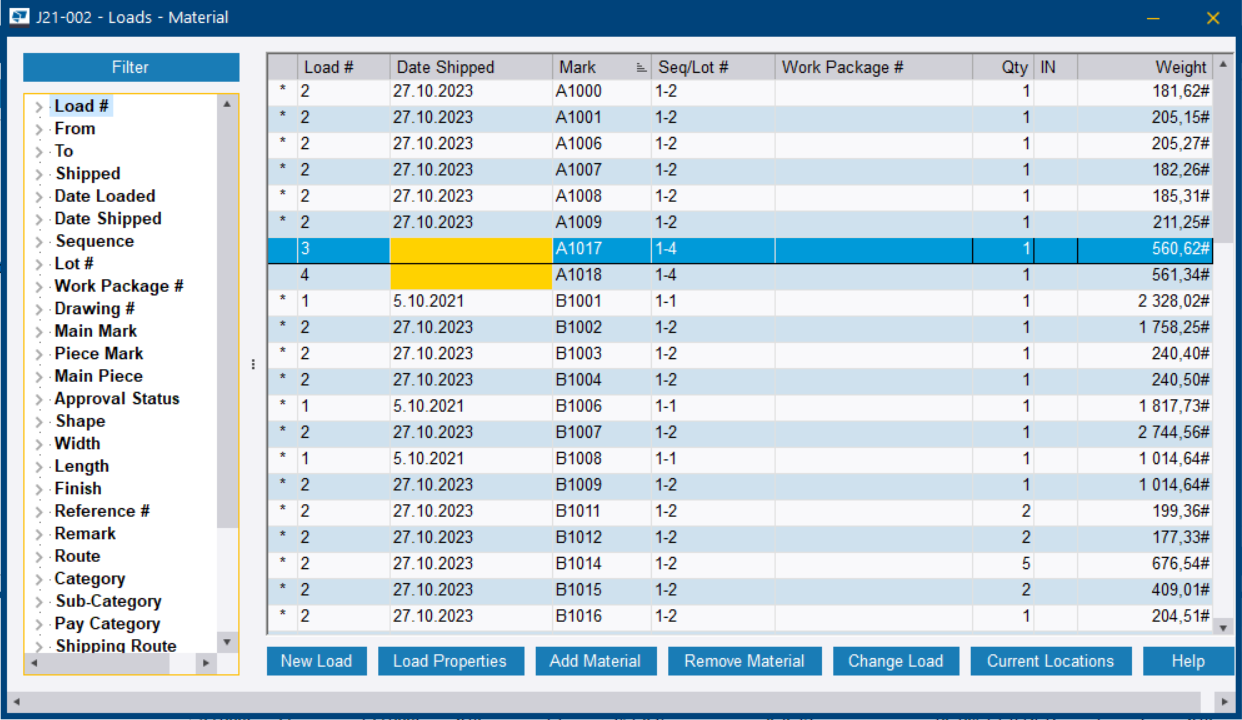
Filter: Allows the list of items to be filtered based on any details of the parts.
Buttons: You can add a new load, view load properties, add items to a load and remove them, modify a load, and view current locations.
Date Shipped is highlighted in yellow if the load has not yet been shipped.
Red indicates that the load is over capacity.